

Follow this link for the ApprentiScope website: ApprentiScope
As an apprentice you will need to report two (2) types of hours
1: Hours worked on a job (this will be in conjunction with your current monthly job report). Report your hours on a weekly basis.
- Do NOT report a day that you did not work – do not enter in zero (0) hours for a day.
- Only report a ‘no work month’ if you did not work any day during that month. This is identical to a ‘no work’ monthly job report. This should be done on the last day of the month.
2: Hours while at your scheduled class
Below is a detailed description of how to enter hours into the system. If you are having troubles, please reach out to Dylan at 763-647-0793
YOU MUST CONTINUE TO FILL OUT YOUR MONTHLY JOB REPORTS IN ADDITION TO REPORTING YOUR HOURS ON APPRENTISCOPE
Adding Hours Worked on a Job
- Navigate to the ApprentiScope website
- Log in using your email and password (that you created)
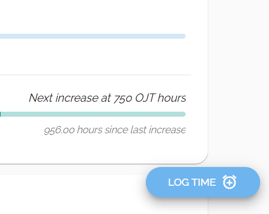
- From the ‘Dashboard’ – select the ‘Log Time’ button in the bottom right of the screen
- Click on the appropriate day that you would like to record hours
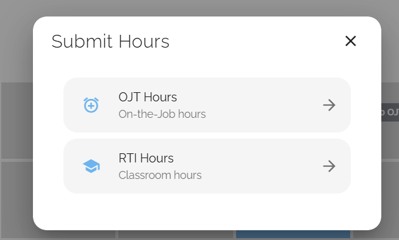
- Choose ‘OJT Hours – On-the-Job Hours’
- Select the appropriate job site
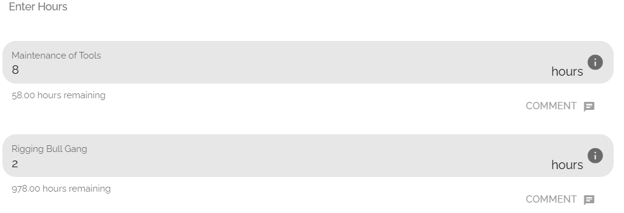
- Enter hours into the appropriate category for the work you performed *Remember, this is a daily record*
- Select ‘Submit’ in the upper right corner
- If reporting a month for NO WORK. Enter a 1 in the last column labeled ‘Out of Work’. Do this on the last day of the month. There is no need to report everyday you haven’t worked. ONLY REPORT A NO WORK MONTH AT THE END OF THE MONTH.



Adding Hours for Classroom Time
- From the ‘Dashboard’ – select the ‘Log Time’ button in the bottom right of the screen
- Click on the appropriate day that you would like to record hours
- Choose ‘RTI Hours – Classroom Hours’
- Select the Appropriate ‘Year’ (representing the class that you are currently attending). Add in the total hours that you were in class for that day (10 hours, do NOT include lunch).
- Click on ‘Submit’ when complete.
- Must be completed by the end of your training week
